
Holographic card toolkit for Unity

Build cards that catch the light. Layer your art, stamp a hologram, or wear the ink down to bare paper.
Explore holograms and finishes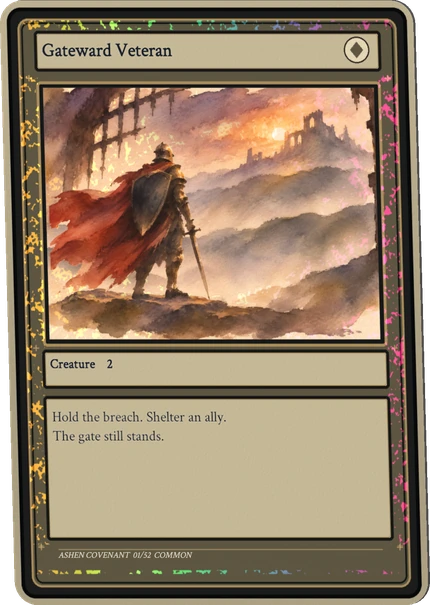
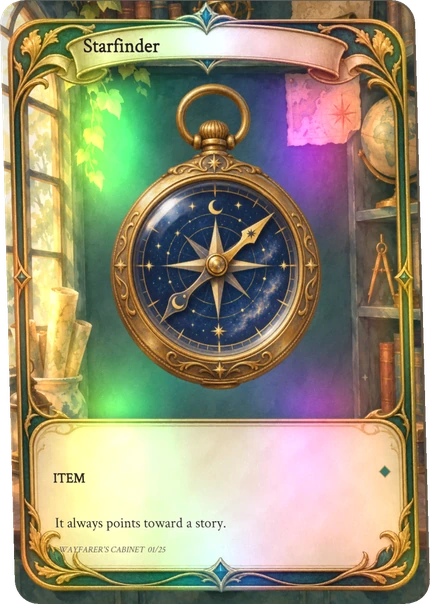
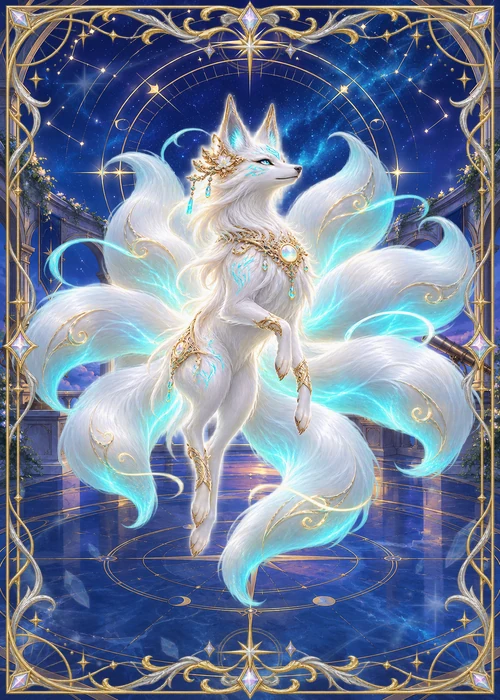
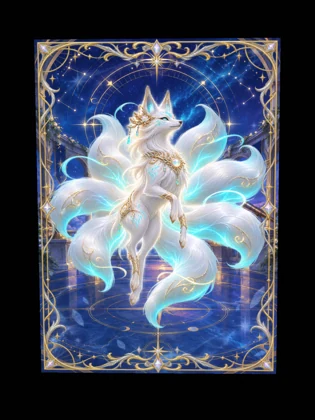
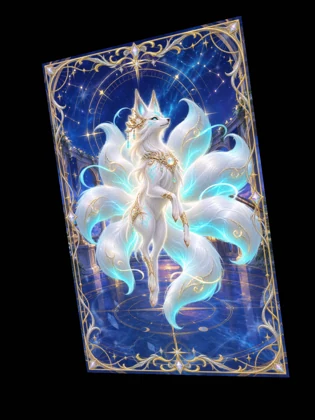
Celestial Showcase · Masked rainbow foil
Aether Fox
Drag to turn
Captured in Unity
The finish lab.
Change a viewing angle or compare a surface treatment on the same print.
Unity sample collection
The card gallery.
Open a card for a closer look at its artwork and finish.
Unity showcase film
The pack opening.
A sealed pack, a streak of light, and eighteen cards in three waves. The wrapper, pixie, lighting and choreography were staged for the film.
Tools and playable samples
Inside Unity.
From the first editable card to a hand, a shop, or a collectible in a 3D world.
Included capabilities
Build it your way.
Art, layouts and type
Start with a full-art or traditional trading-card frame. Stack the subject, foil, flair, frame and identity over a mirrored background. Place each stage in the order you want, then tune scale, rotation, tint, opacity and parallax.
Set the title, type, rules and footer separately. Give each field its own bounds, wrapping and font-size range. Printed ink responds to the light across the card face.
Holograms, foil and metallic ink
Reveal a three-dimensional recording through a window in the art. Reflection holograms respond to horizontal and vertical tilt. Rainbow holograms use the vertical viewing angle to shift the replay color. Bake your own Unity mesh into a volume subject, import a distance-field recording, or use the included Astral Compass. Choose continuous optical replay or stepped stereogram views. Set the recording light, backdrop, image depth, wavelength and aperture.
Artistic foil has adjustable rainbow bands, diffraction, sparkle, glint, frame coverage, repeat and rotation. Choose automatic pattern coverage or a registered custom mask. Add a separate card-space stencil to confine the finish to the illustration, frame or seal. Choose artistic rainbow, linear or concentric gratings, or one of eight diffractive families: Prism Linear, Prism Concentric, Prism Radial, Gold Shatter, Nebula Glitter, Sky Sparkle, Gilded Vortex and Foil Emboss. Groove pitch, depth, roughness and angular spread shape the reflection.
Stamp gold, silver or copper through a separate mask. Adjust roughness, brushing and reflection, then insert the metal at any of six boundaries in the printed layer stack. Budget additional per-pixel URP point and spot lights per face for optical finishes.
Paper stock, coat scratches and damage
Layer normal maps, stipple, grain and gloss to catch a raking light. Bake a tiled scratch-height image into relief, then place it on the buried foil or the outer clearcoat. Foil scratches bend rainbow bands as the card turns. Coat scratches catch a neutral highlight. A separate four-channel wear map controls damage to the print. Dial the severity up from clean stock to scuffed ink, exposed paper, dirt or creases.
Paint the four damage channels yourself or generate repeatable wear with a seed, per-channel density, edge bias and corner bias. A worn-paper look can be shared across a set while each card keeps its own marks.
Card shape, hands and inspection
Set width, height, thickness, rounded corners, edge subdivisions and seeded edge irregularity on one physical card. Assign independent front and back definitions. Turn it over, zoom, tilt it under light or inspect the edge. Reduced motion suppresses idle movement and snaps the inspection transition.
Arrange mesh cards in a hand or fan, pick a slot with a ray, and reveal or replace a card. Optional scenes demonstrate pack rewards, sports roster selection, summoning, action upgrades and finding cards in a furnished room.
Visual authoring and C# integration
Work in the Inspector or the Complete Showcase. Drop Project artwork into the creator’s thumbnail picker, isolate layers and finishes, inspect both faces, and save a variation as a new definition and prefab in the Editor. Saved cards can appear in the gallery and hand demos.
The runtime C# factory builds cards from code. The Editor API writes reusable Unity assets, and a complete example supplies every parameter. A built game can connect the runtime API to its own save system.
Diagnostics and modular delivery
Use reference patterns, small-size comparisons and fixed-angle captures to check registration, parallax, foil and silhouette. Compare strength at zero and under the same light before changing a finish.
The 62 MB core includes the renderer, shaders, authoring tools and guided examples. Add any of 15 independent art collections or gameplay downloads when you need them. The core was tested in Unity 6000.3.11f1 with URP 17.3.0.
Working in Unity
First card.
From import to first tilt
- Open a Universal Render Pipeline project. The release baseline is Unity 6000.3.11f1, URP 17.3.0 and Unity UI 2.0.0. Assign the URP asset under Graphics and the active Quality level.
- Import the core
.unitypackagevia Assets → Import Package → Custom Package. Keep the supplied paths underAssets/CrazyCards. - Drag Prefabs / Crazy Card into a scene with a camera and directional light. On the root choose Make front editable copy, assign a background and transparent subject, then rotate the card.
- Open Crazy Cards Complete Showcase in the Editor and enter Play Mode. Use Save card to keep an authored variation.
Core and optional samples
Start with the 62 MB core. It includes the renderer, shaders, Inspector, C# API and interactive creator. Try Night Signal for layering, Celestial Physical Card for parallax, or Meridian No. 01 for metallic print.
The 15 optional downloads range from individual art studies to complete illustrated collections, playing-card decks and playable scenes. With core installed, use Tools → Crazy Cards → Optional Samples to import a downloaded collection. The bedroom and genre demos include the particular cards they use.
Compare the Unity render
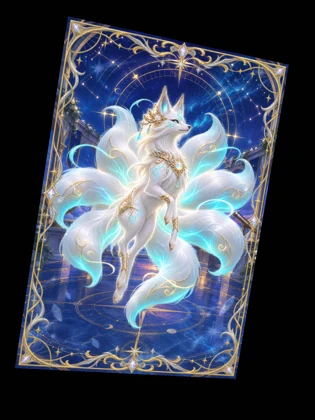
The shipped Celestial card under three light and view angles, captured in Unity. The browser exhibit uses the same prefab’s artwork and an amplified foil response.
Foil and layer setup
Keep the subject on its own transparent layer. Place it above the foil for a protected silhouette. For a registered print, assign a matching grayscale-to-alpha Foil Mask, link its coordinates to the pattern, and adjust repeats and rotation together. Compare the result at zero foil strength.
The browser exhibit uses reduced-resolution material plates and a directional studio light. The Unity shader also handles scene lighting, wear, additional foil families, and configurable print layers.
Dependencies and support
Input-driven demos use Input System 1.19.0 with Active Input Handling set to New or Both. The tests use Test Framework 1.6.0. For missing geometry with GPU Resident Drawer, set BatchRendererGroup Variants to Keep All under Graphics → Shader Stripping.
For a support report, record the Unity and URP versions, graphics API, card or scene, reproduction steps, and a screenshot showing the light direction. The studio support mailbox is being set up.